


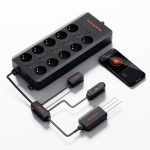

GGS AC10 Spider Farmer – Power strip with 10 outlets for climate control in the grow tent – featuring temperature, humidity, and VPD measurement, time control, historical data, Bluetooth, and Wi-Fi
Le prix initial était : 139,99 €.129,99 €Le prix actuel est : 129,99 €.

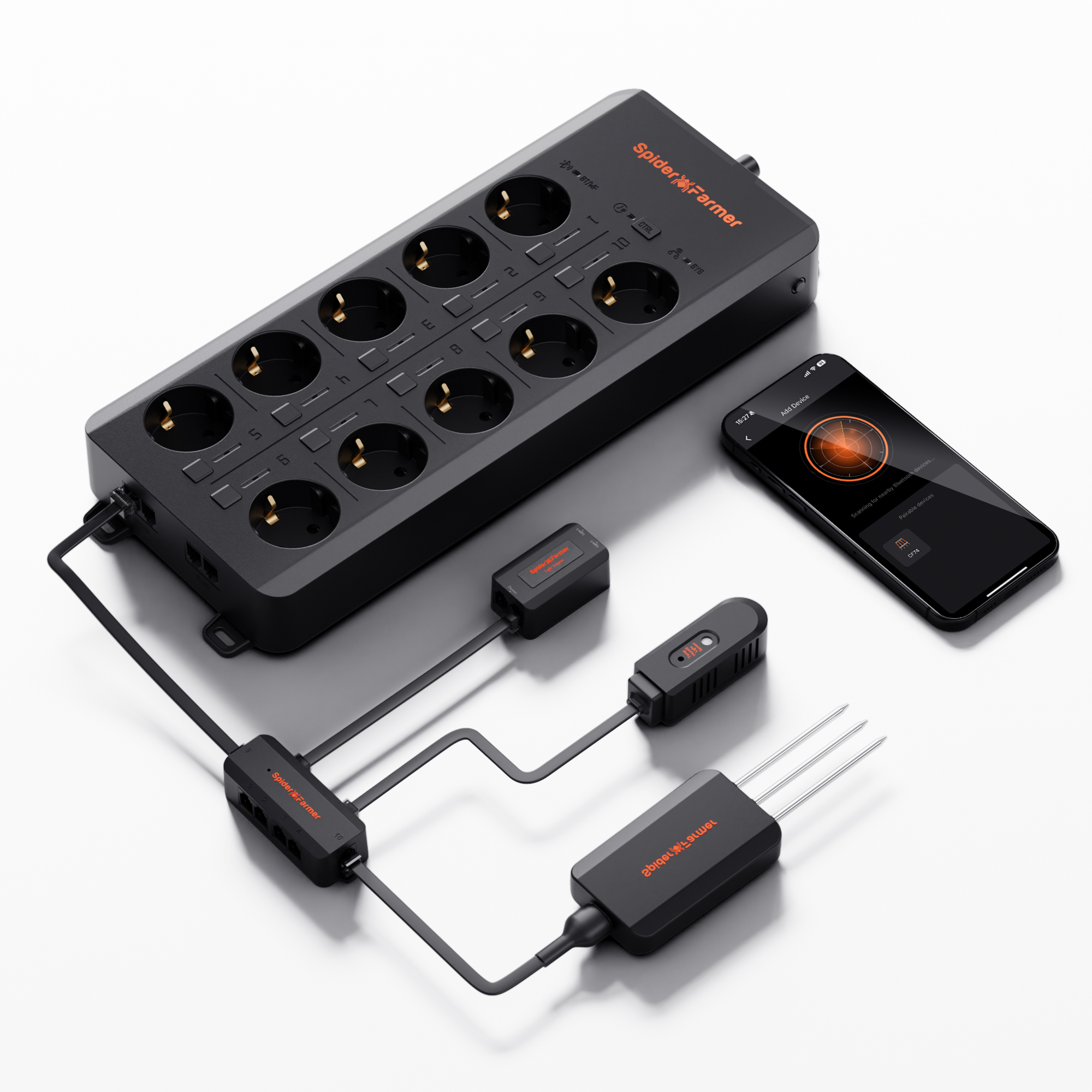
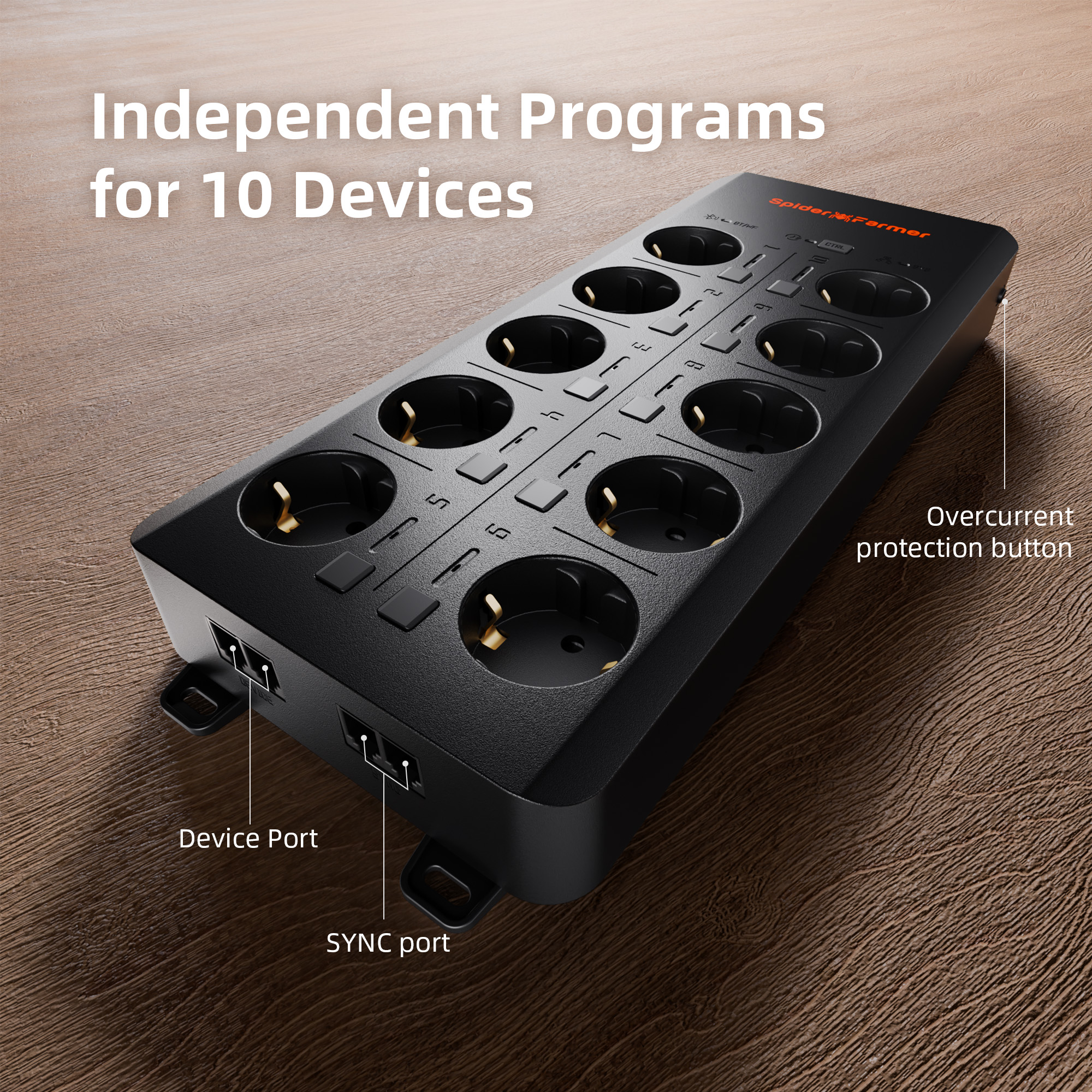
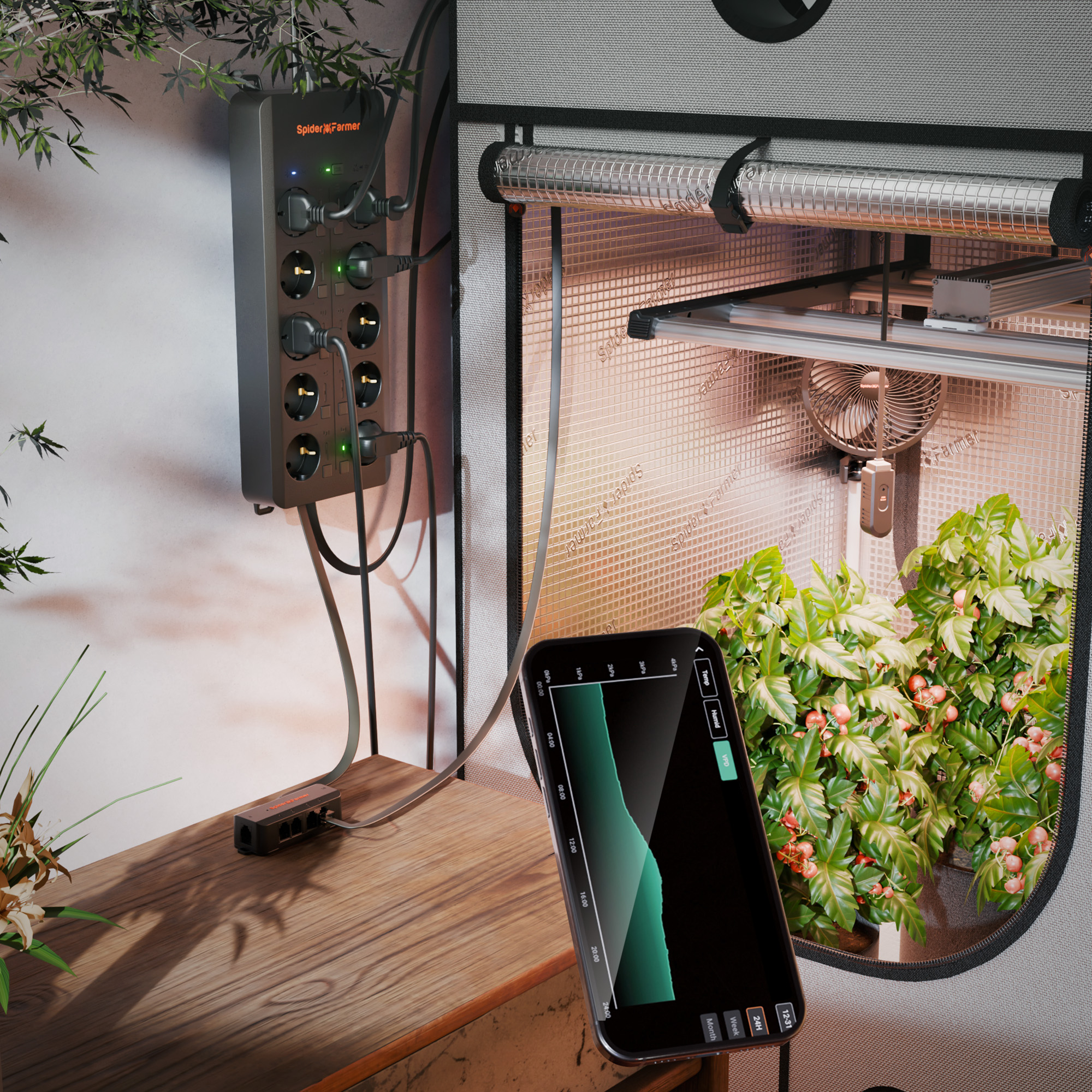
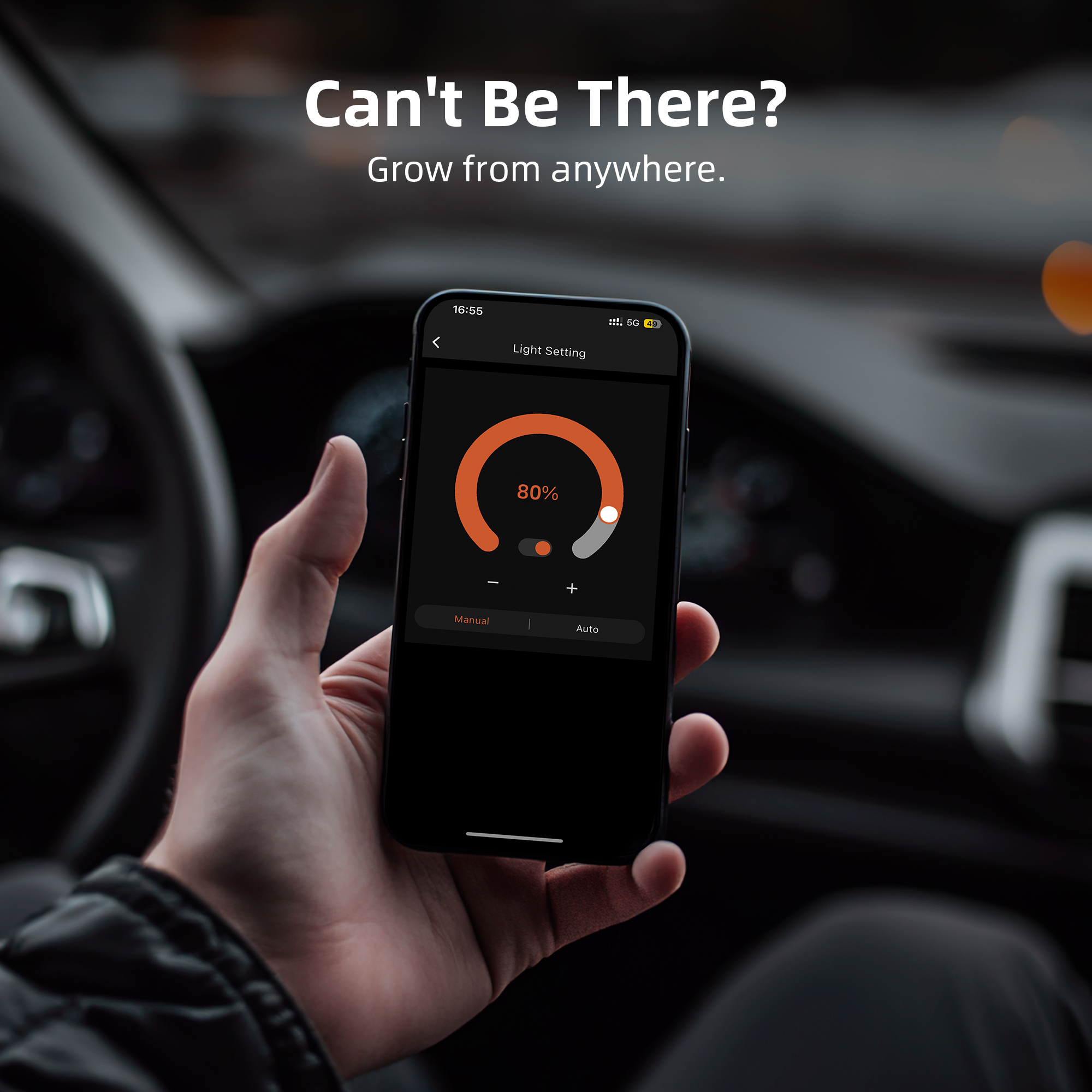
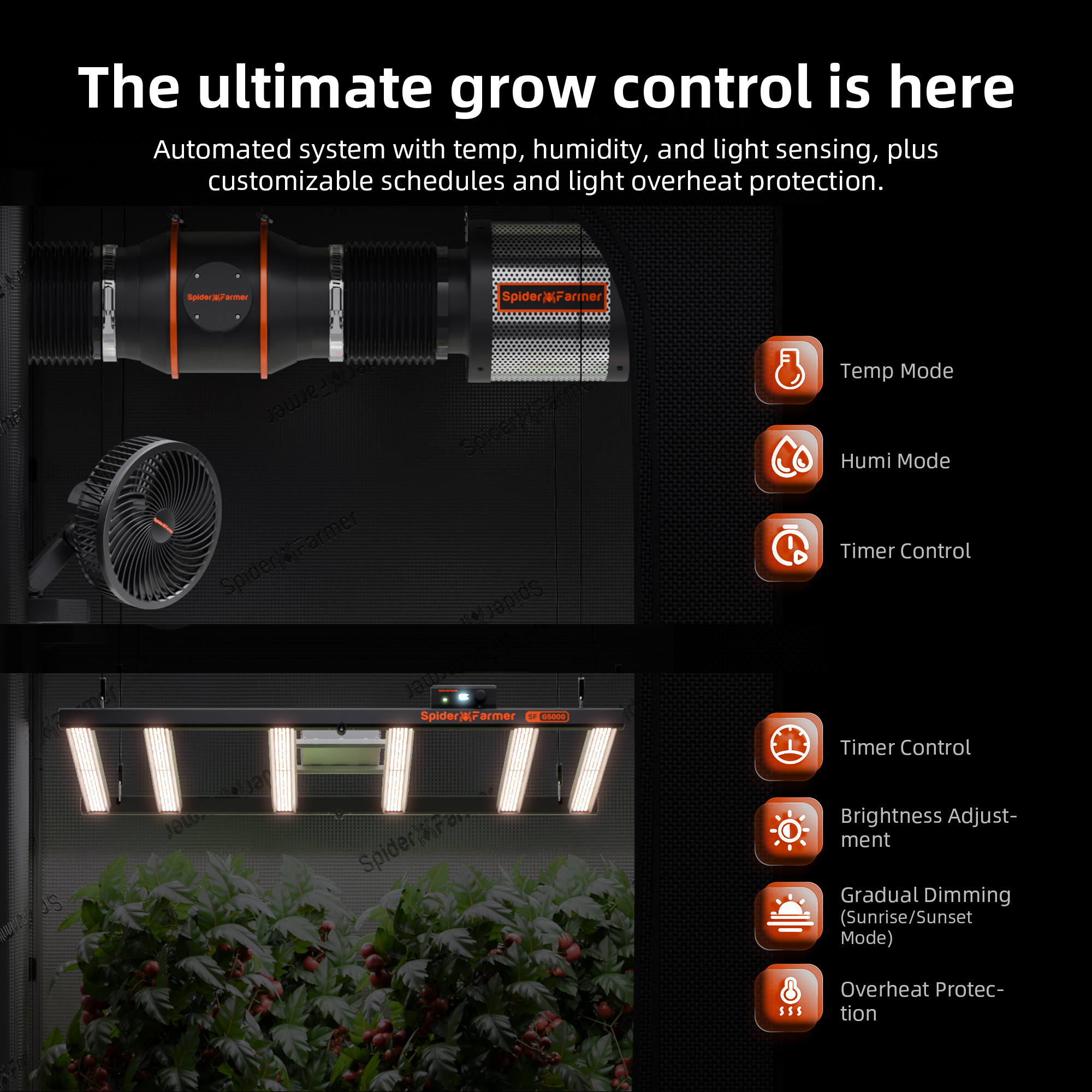
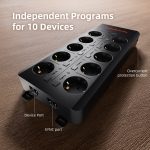
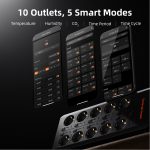
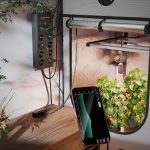
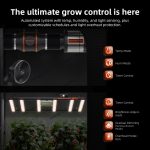
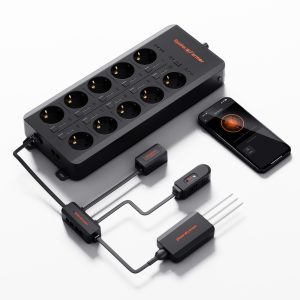
♦ Intelligent Takeovers: The GGS AC10 power strip features 10 independent outlets, allowing you to power and control up to 10 devices. Using the Spider Farmer app, you can remotely manage SF series (excluding SF1000D, SF300, SF600), G, and SE series LED grow lights. RJ12 clip-in/inline fans allow for precise programming of schedules, idle speed, and oscillation settings. Fans without RJ12 ports can still be controlled using on/off timers.
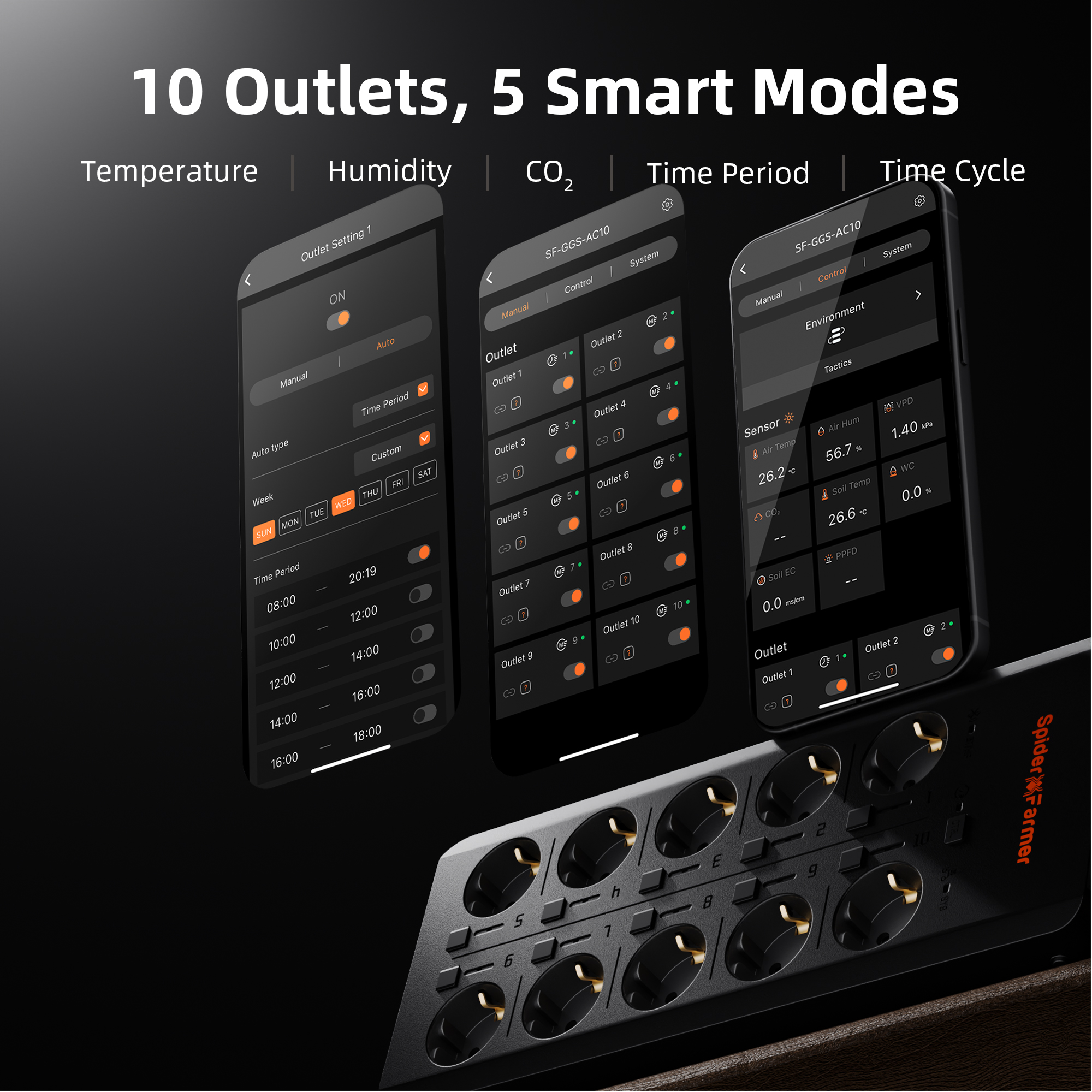
♦ Comprehensive Environmental Monitoring: The GGS AC10 power strip works with heaters, humidifiers, dehumidifiers, and additional lights in the Spider Farmer ecosystem. It supports timer, temperature, humidity, and CO₂ modes, enabling automated control for an optimized growing environment.
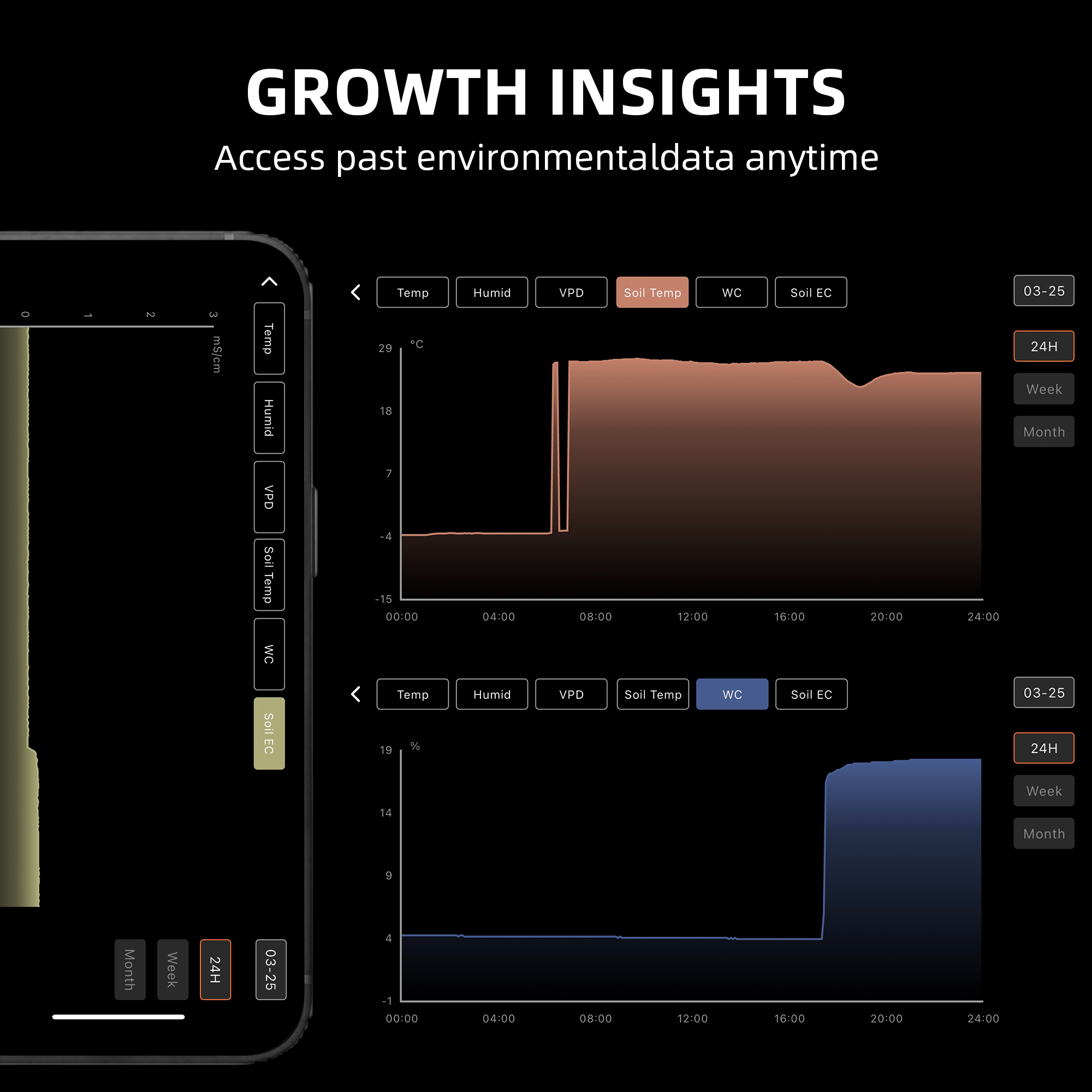
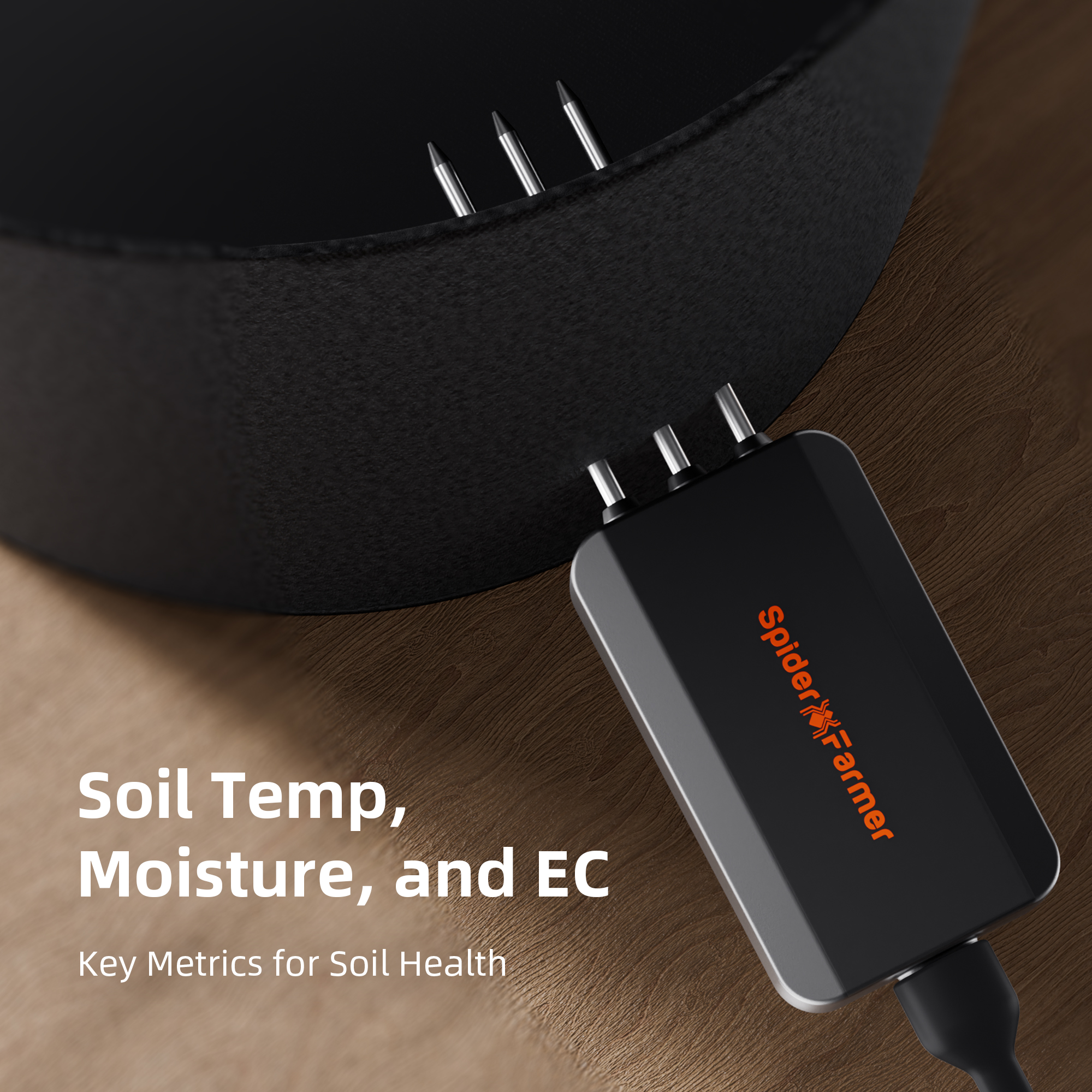
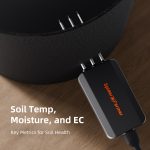
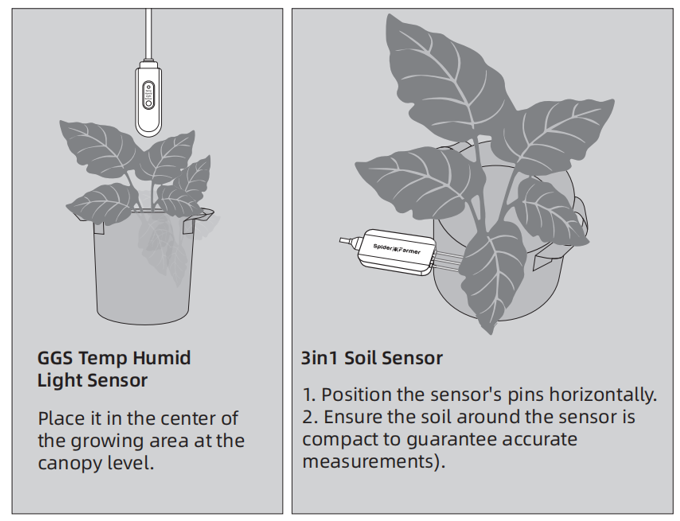
♦ 3-in-1 Soil Sensor: This sensor monitors soil moisture (VWC), temperature, and electrical conductivity (EC), providing essential data for plant growth. It helps determine watering schedules, promotes healthy root development, and prevents over-fertilization. Insert the probes horizontally into the soil for accurate measurements.
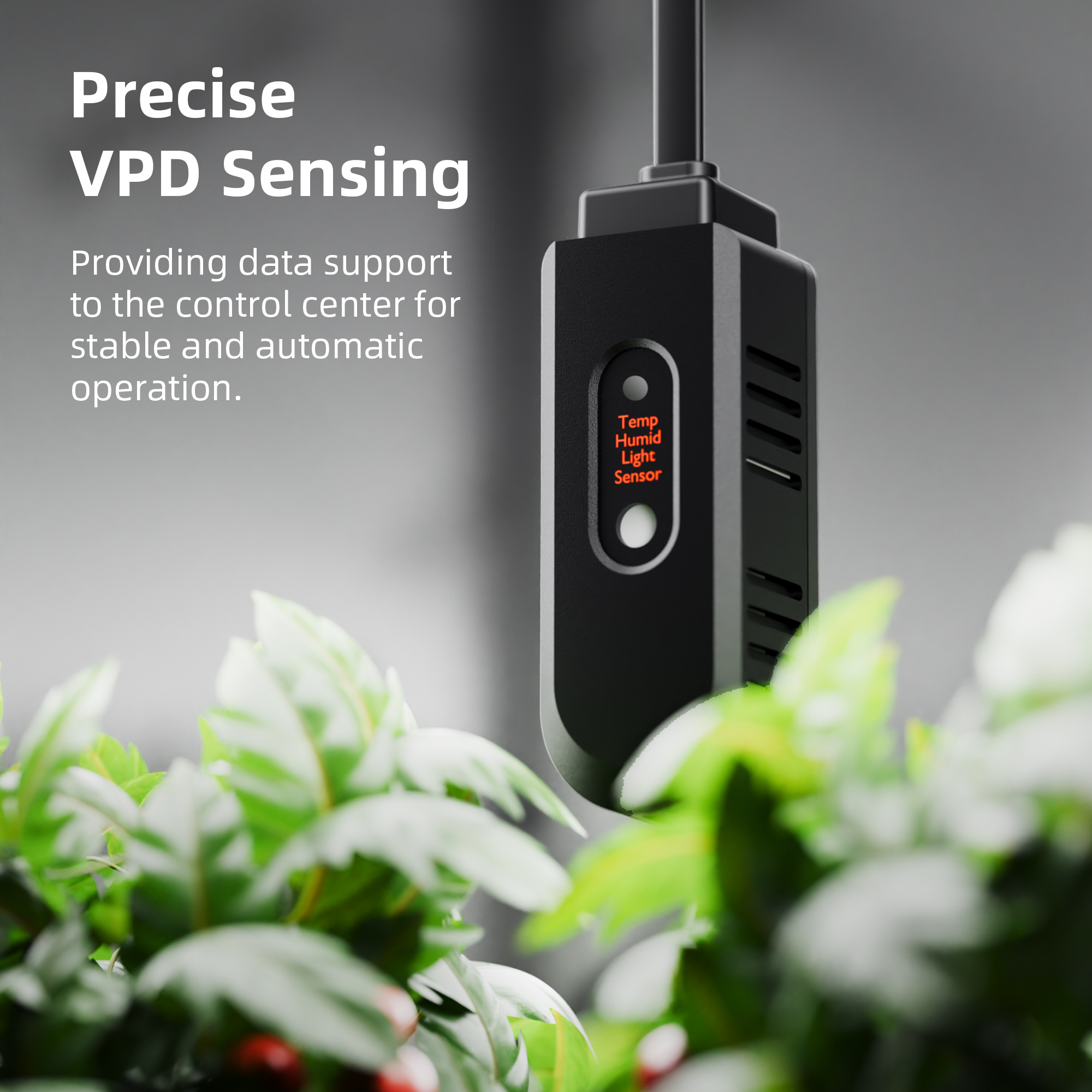
♦ GGS Temperature, Humidity, and Light Sensor: This sensor monitors temperature, humidity, and day/night cycles inside the greenhouse, optimizing conditions for the plants. Note: The light sensor is located on the side—make sure it remains unobstructed for accurate readings.
If you need to measure PPFD and CO2, you can also purchase the CO2 and PAR measurement kit GGS SensorPro Spider Farmer.
The kit includes:
♦ 1 x GGS AC10 Power Strip
♦ 1 x Temperature, Humidity, and Light Sensor
♦ 1 x 3-in-1 soil sensor
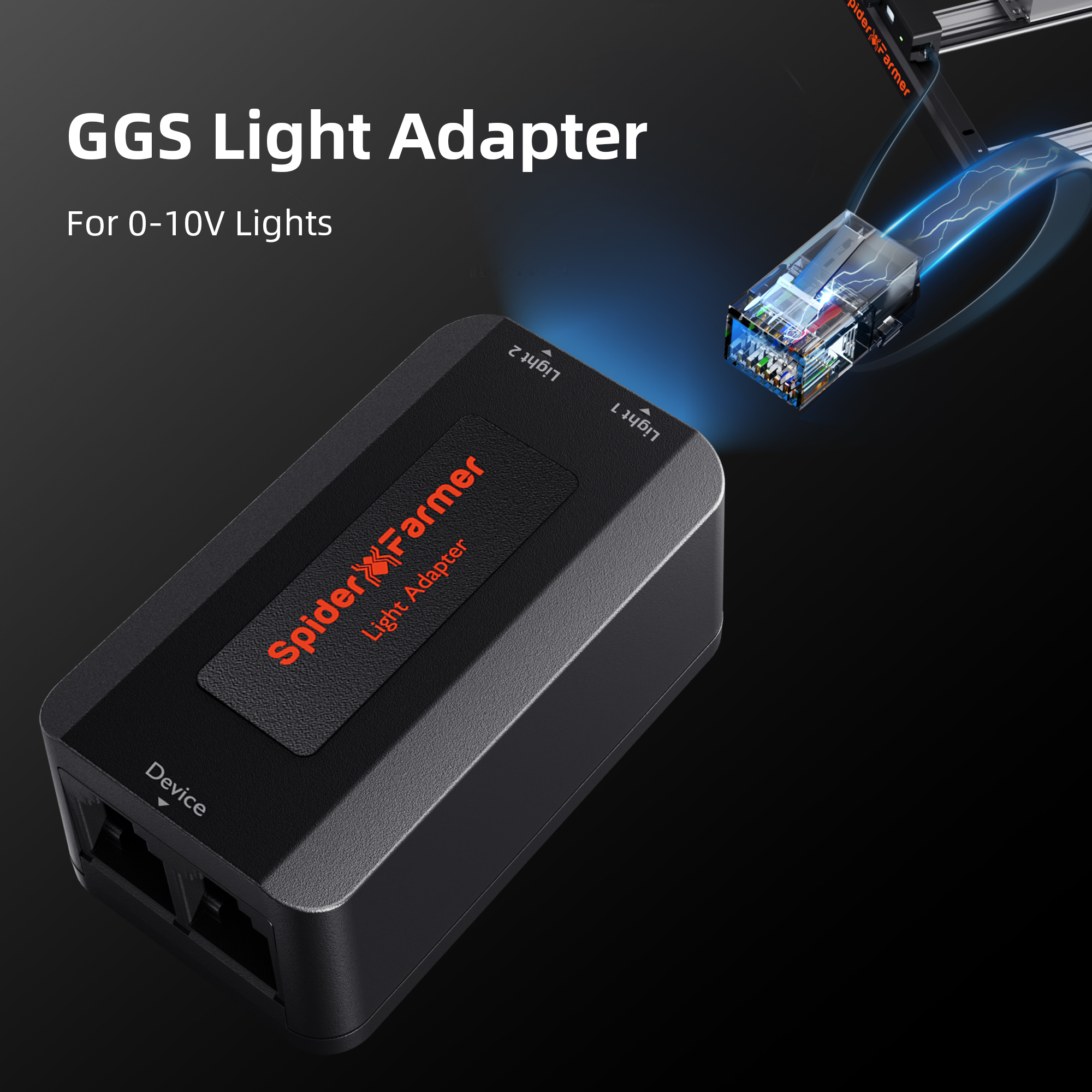
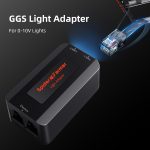
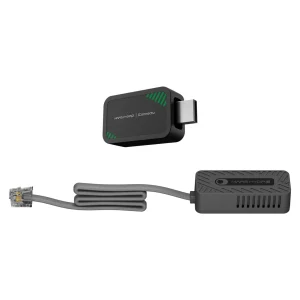
♦ 1 x GGS Lighting Adapter (2 ports for connecting lights to the GGS system)
♦ 4 x 2.5-meter RJ12 cables (for connecting devices)
♦ 2 x 0.25-meter RJ12 cables
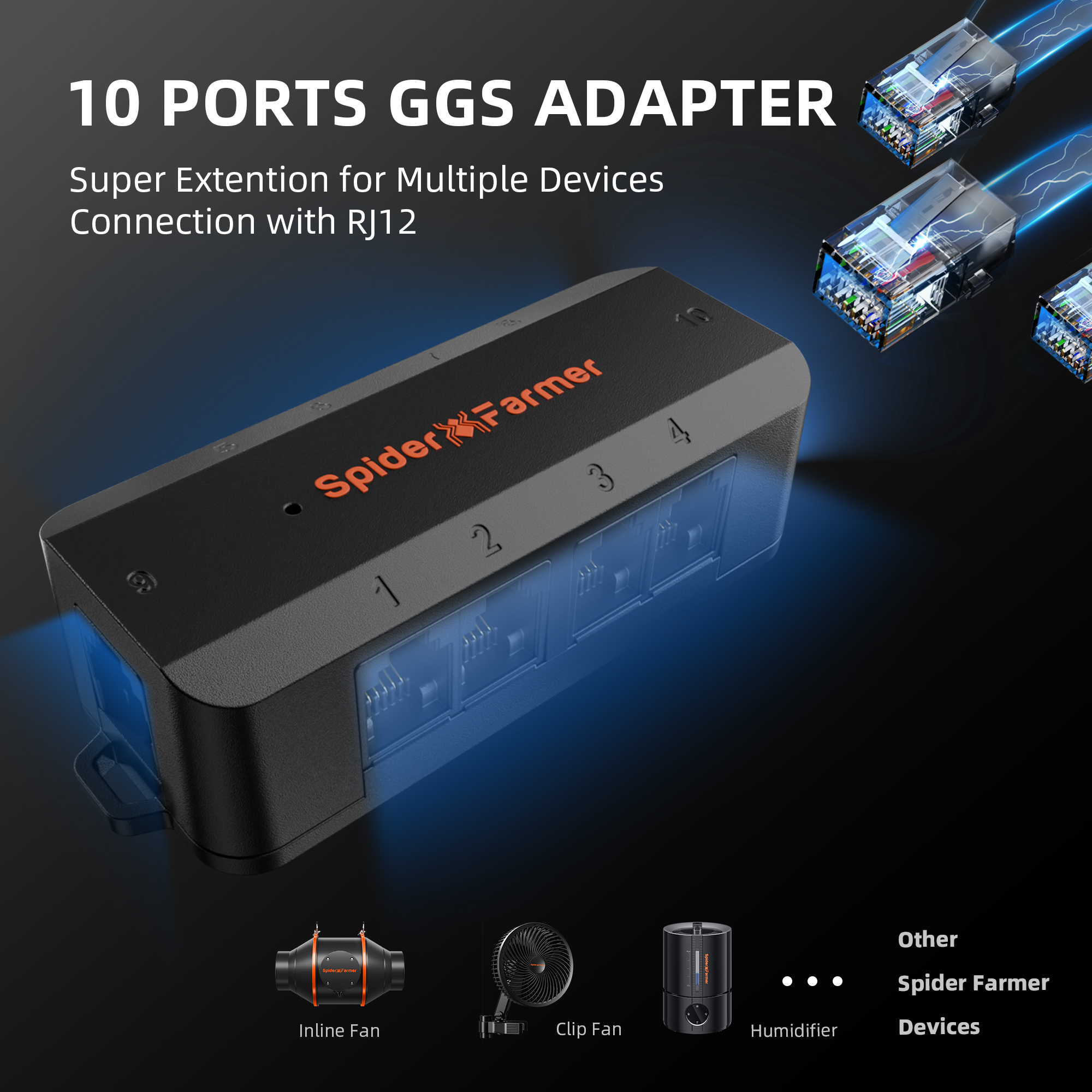
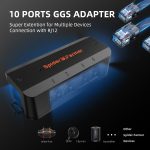
♦ 1 x GGS Pro Adapter (10 ports for expanding device connections)
♦ 6 x Hook-and-loop straps (for organizing cables)
For more information, please see the Product Description section.
In stock
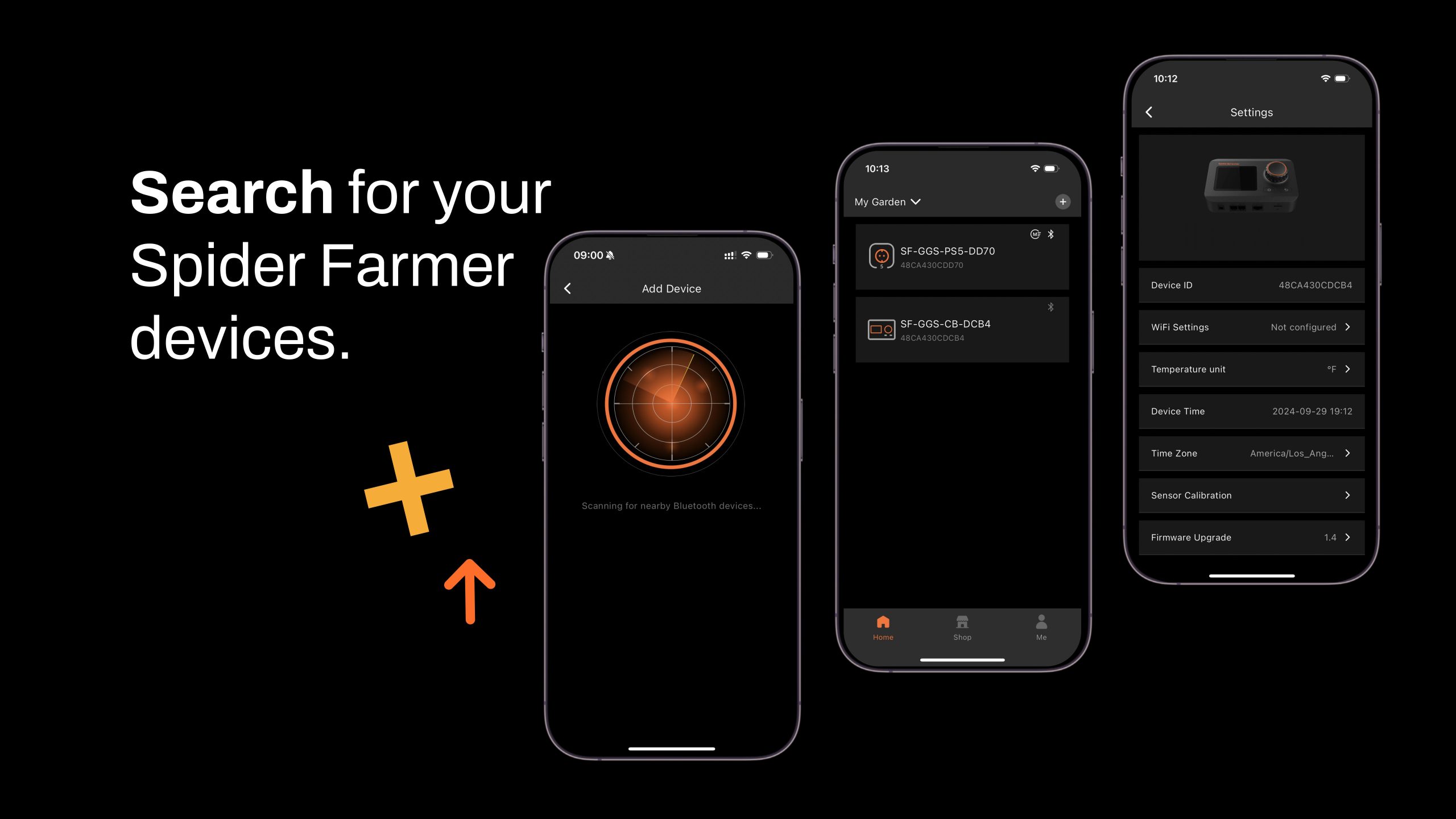
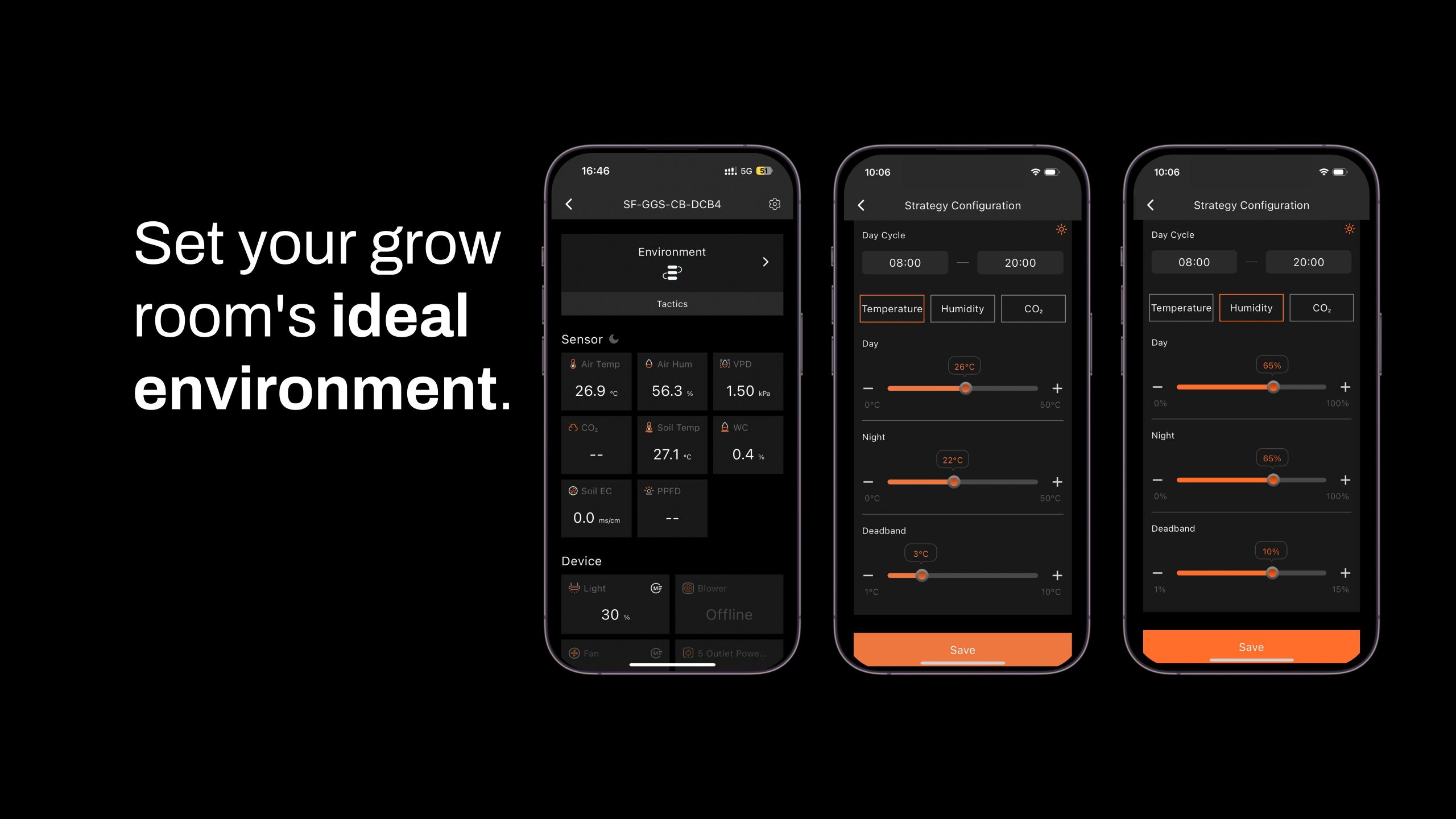
Features and settings of the Spider Farmer app
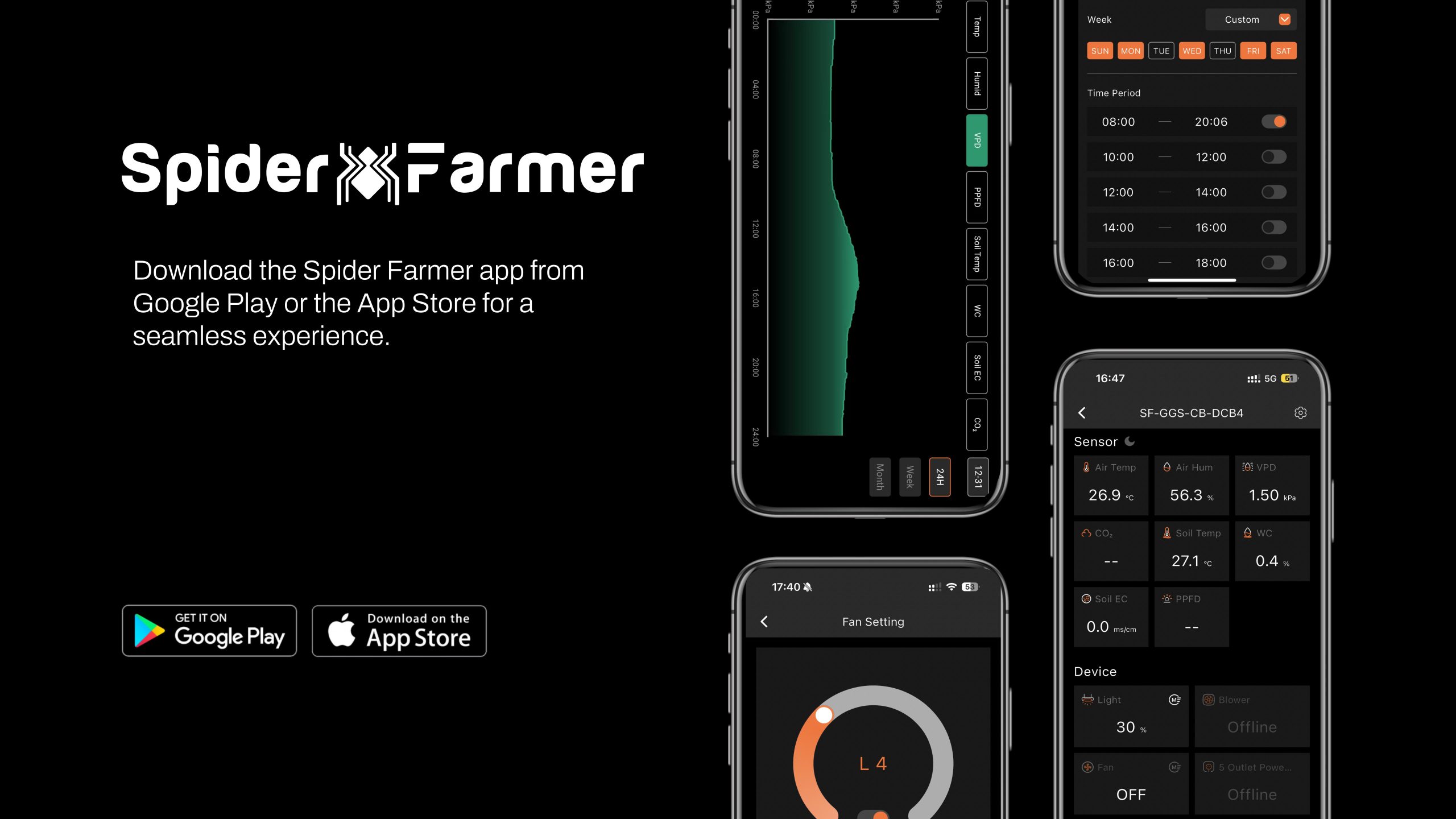
1. Download the Spider Farmer app
Search for «Spider Farmer» on Google Play or the App Store and download the app.

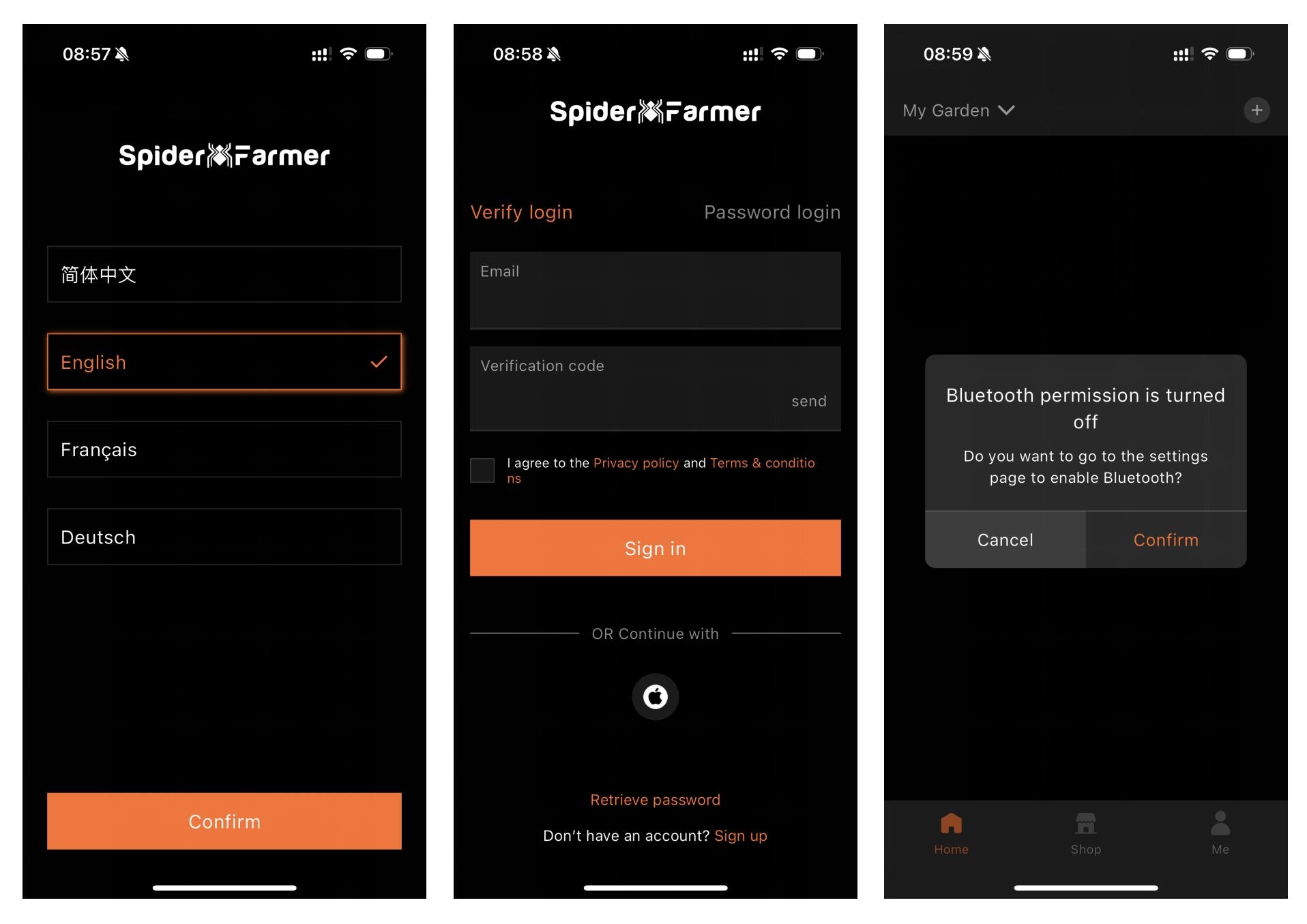
2. Language, Registration, and Bluetooth
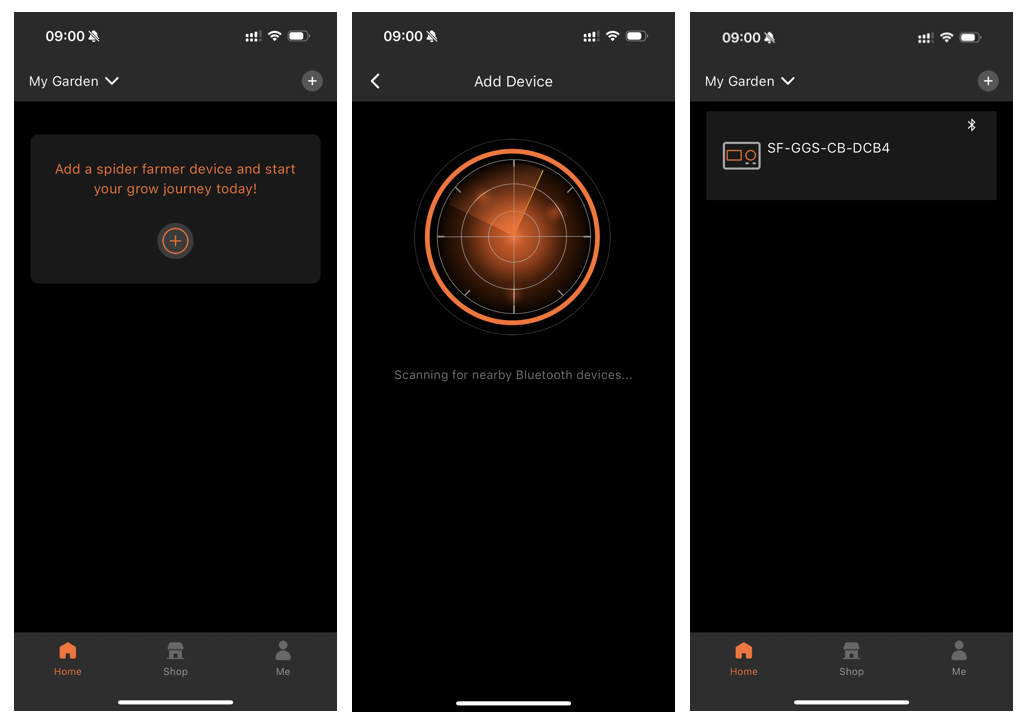
Once the app is open, select your language and sign up with your email address. The app will then ask you to turn on Bluetooth.
3. Find and identify your Spider Farmer devices
3.1 Starting the device search
Tap the plus icon to start searching for nearSpider Farmer devices.
The detected devices will appear in the app, and you can identify them by their icons.
3.2 Troubleshooting Device Discovery
If you can't find your device, try the following steps depending on the type of device:
- If you have a Spider Farmer AC5/AC10 power strip: Press and hold the Ctrl button for 3 seconds to reset Bluetooth.
- If you have a LED grow light with digital display: Press and hold the button for 3 seconds, then release it to restore the factory settings.
- If you have a GGS Spider Farmer Controller: Select “Restore Factory Settings” in the interface.
Note: Restoring factory settings will delete all automation schedules and user accounts.
3.3 Configuring the SF-GGS-AC10 Kit
If you purchased the SF-GGS-AC10 kit, follow these steps:
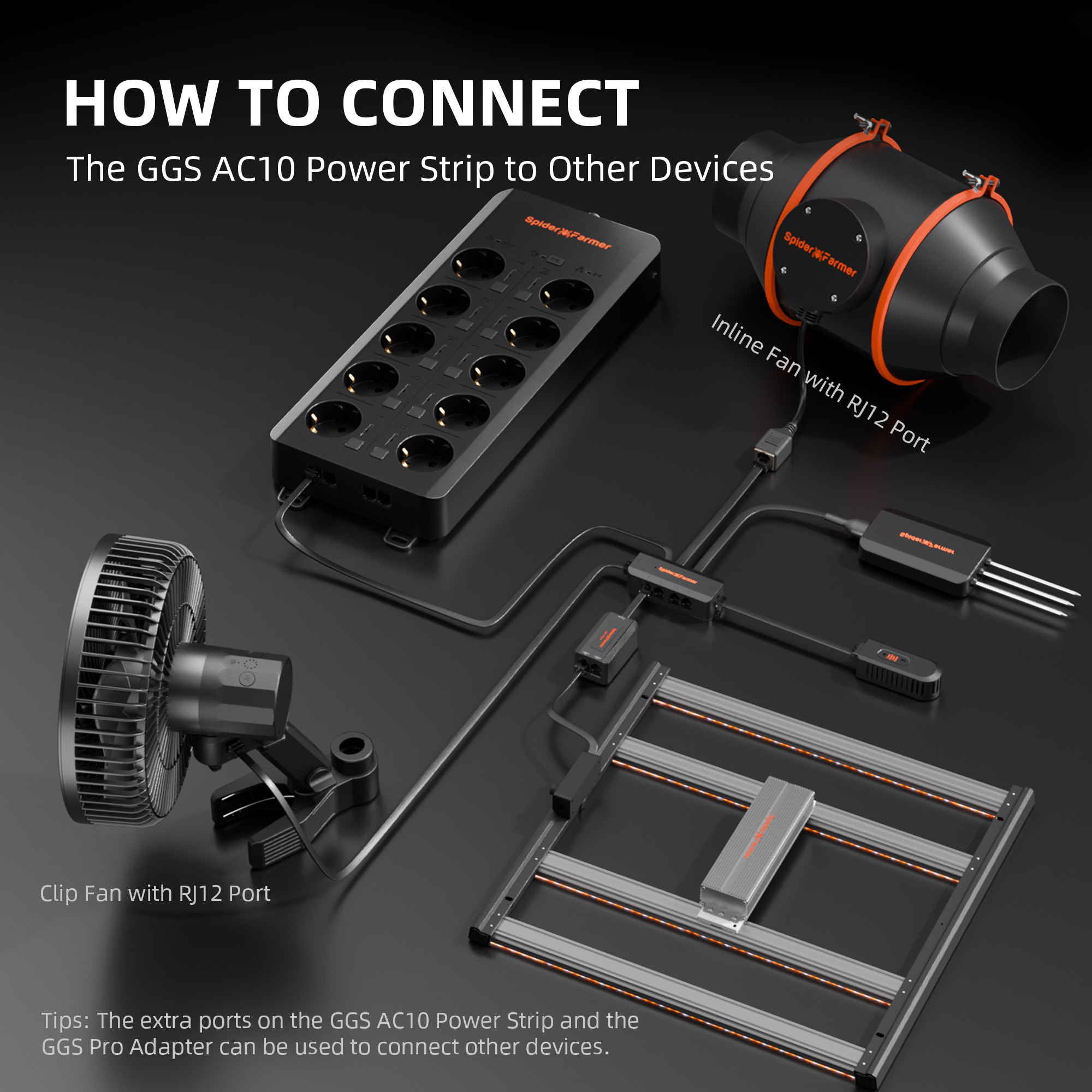
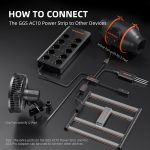
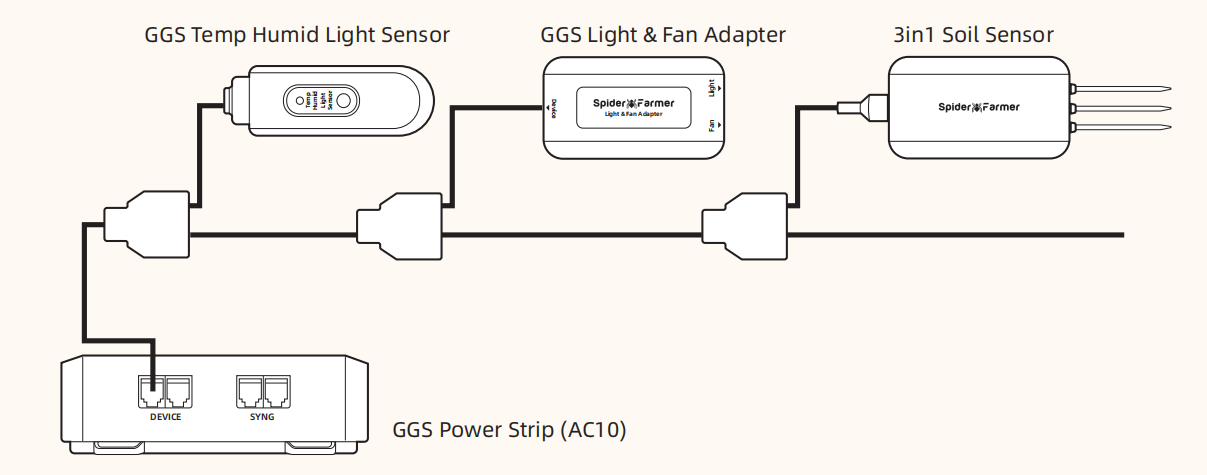
Use the RJ12 cable to connect the devices according to the diagram provided. (If you need to control the LED grow light, the GGS 2-in-1 adapter (included in this kit) is required. You will need to plug the light into the “light” port on the adapter.)
Make sure all devices are plugged into a power source, as the RJ12 cable does not provide power. The sensor only requires the RJ12 connection.
Open the app, search for your devices, and tap the Power Strip icon to start the setup.
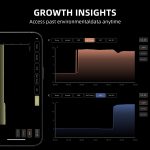
4. What data can you view on the Spider Farmer app?
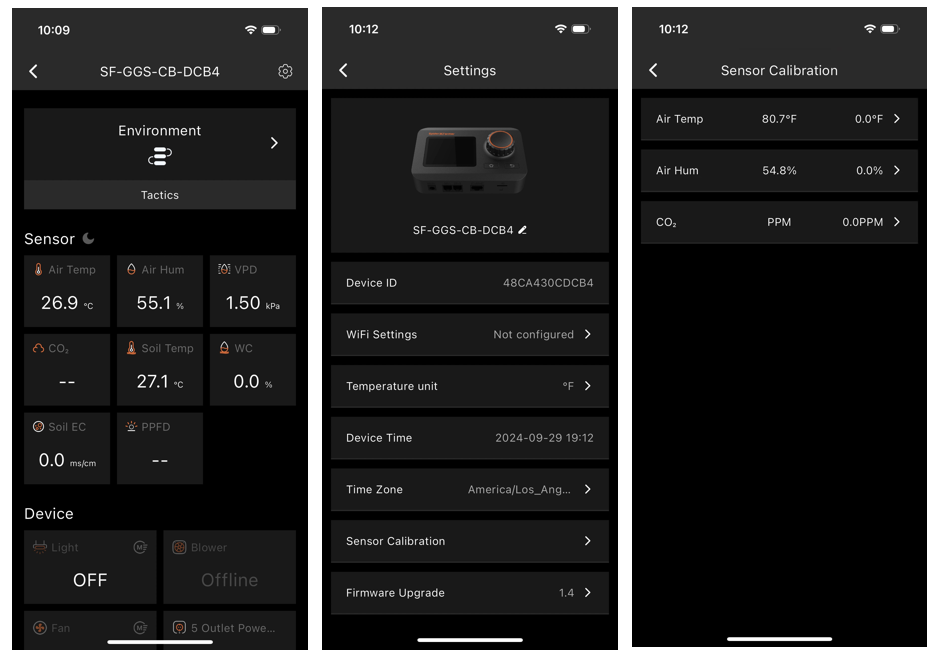
4.1 Time display:
Quickly and easily check the current date and time in your grow room.
4.2 Day/Night Icon:
See at a glance whether your grow tent is in its light or dark cycle. A sun icon appears when light is detected, and a moon icon appears during dark periods. This feature allows you to monitor lighting conditions without opening the tent. (Requires the temperature, humidity, and light sensor included in this GGS AC10 power strip kit)
4.3 VPD and temperature/humidity display:
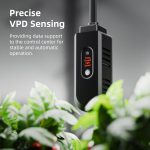
Get accurate readings of temperature, humidity, and vapor pressure deficit (VPD). (Requires the temperature, humidity, and light sensor included in this GGS AC10 power strip kit; ;
Tip: Place the sensor at canopy level, in the center of your growing area, for more accurate readings.
4.4 Displaying data on the ground:
Ideal for soil growers, this display shows real-time soil temperature, moisture, and electrical conductivity (EC).
4.5 CO₂ display:
(This kit does not include the sensor required to measure this data. (Please purchase the GGS Pro Sensor Kit separately.)
With an optional CO₂ sensor, you can monitor CO₂ levels directly, allowing you to optimize CO₂ concentration for faster growth. (Note: This sensor is sold separately and is not yet available in Europe—stay tuned.)
PPFD 4.6 display:
(This kit does not include the sensor required to measure this data. (Please purchase the GGS Pro Sensor Kit separately.)
4.7 Recommendations for Sensor Placement
5. Preparations before configuring the device’s operations
5.1 Environmental Conditions Parameters
5.1.1 Day/night cycle optimization: Define the time range for day and night periods. The day begins at the start time for the day and ends at the start time for the night, while the night begins at the start time for the night and ends at the start time for the day. If both start times are set the same way, the system defaults to 24-hour mode.
5.1.2 Environmental conditions parameters: Set target values for temperature, humidity, and CO₂ levels during both day and night, as well as the deadband range.
5.1.3 Dead zone control: Maintain stability. For example, if the daytime temperature is set to 70°F with a 3°F deadband, there is an upper and lower threshold. Cooling will turn on at 73°F and turn off once it reaches 70°F, while heating will turn on at 67°F and turn off at 70°F.
5.2 Local Time Settings
Set your local time on the controller. This is necessary when setting operating times, such as for lights.
5.3 Multilingual Support
Our system offers several language options to ensure ease of use, including English, German, French, Spanish, Italian, and Chinese.
6. How to Control LED Grow Lights (G Series/SE Series/SF Series)
(Note: A GGS 2-in-1 adapter is required to control LED grow lights via the GGS power strip. This adapter is included in the kit.)
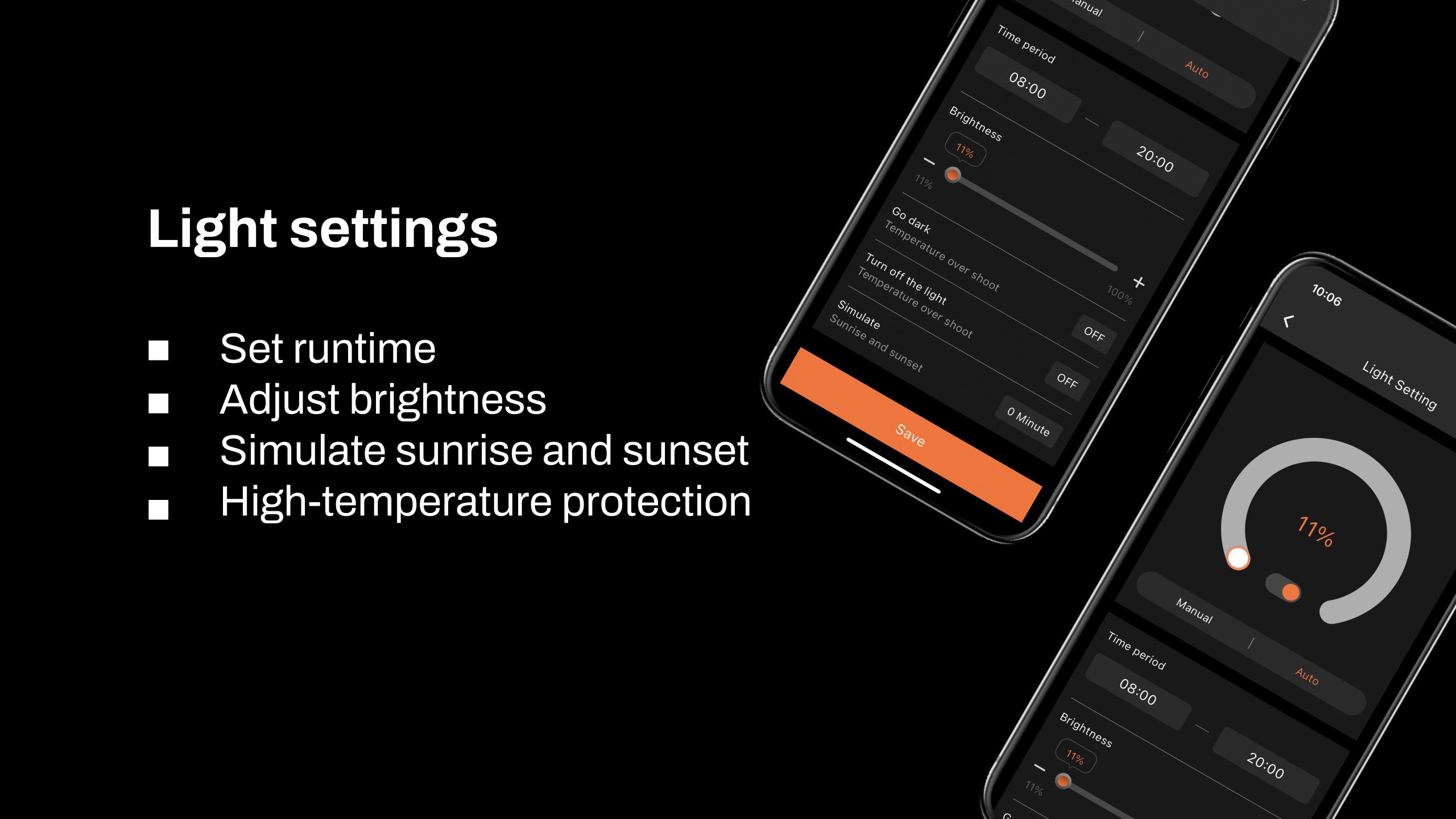
6.1 Manually adjust the brightness for precise light control:
Set the brightness between 10 % and 100 %, giving you full control over the light intensity at all times. For a quick shutdown, setting the brightness to 0 % will turn off the lights. Any setting between 0 % and 10 % automatically operates at 10 % brightness.
6.2 Automate your lighting schedule:
6.2.1 Start and end times: Easily set specific on and off times for your lights, so your plants can benefit from consistent lighting cycles without manual adjustments.
6.2.2 Brightness levels: Set the exact light level for each cycle, ensuring that your plants receive optimal light intensity.
6.3.1 Go Dark: Set a high-temperature threshold for dimming. When the room temperature reaches this threshold, the lights will automatically dim to 11 % to prevent overheating.
6.3.2 Stop: Set a higher temperature threshold for a complete shutdown. When this threshold is reached, the lights will turn off automatically to protect your plants and equipment.
6.4 Sunrise/sunset simulation:
Enable this feature to simulate changes in natural light, with brightness gradually increasing at sunrise and gradually decreasing at sunset.
Example: If you set the lighting schedule from 8:00 AM to 8:00 PM with a brightness level of 100 % and a sunrise/sunset setting of 30 minutes, the lights will gradually increase from 0 % to 100 % brightness between 8:00 AM and 8:30 AM. In the evening, starting at 7:30 PM, the brightness will gradually decrease from 100 % until the lights turn off completely at 8:00 PM.
7. How to control inline fans, clip-on fans, and other equipment
Key steps in the process:
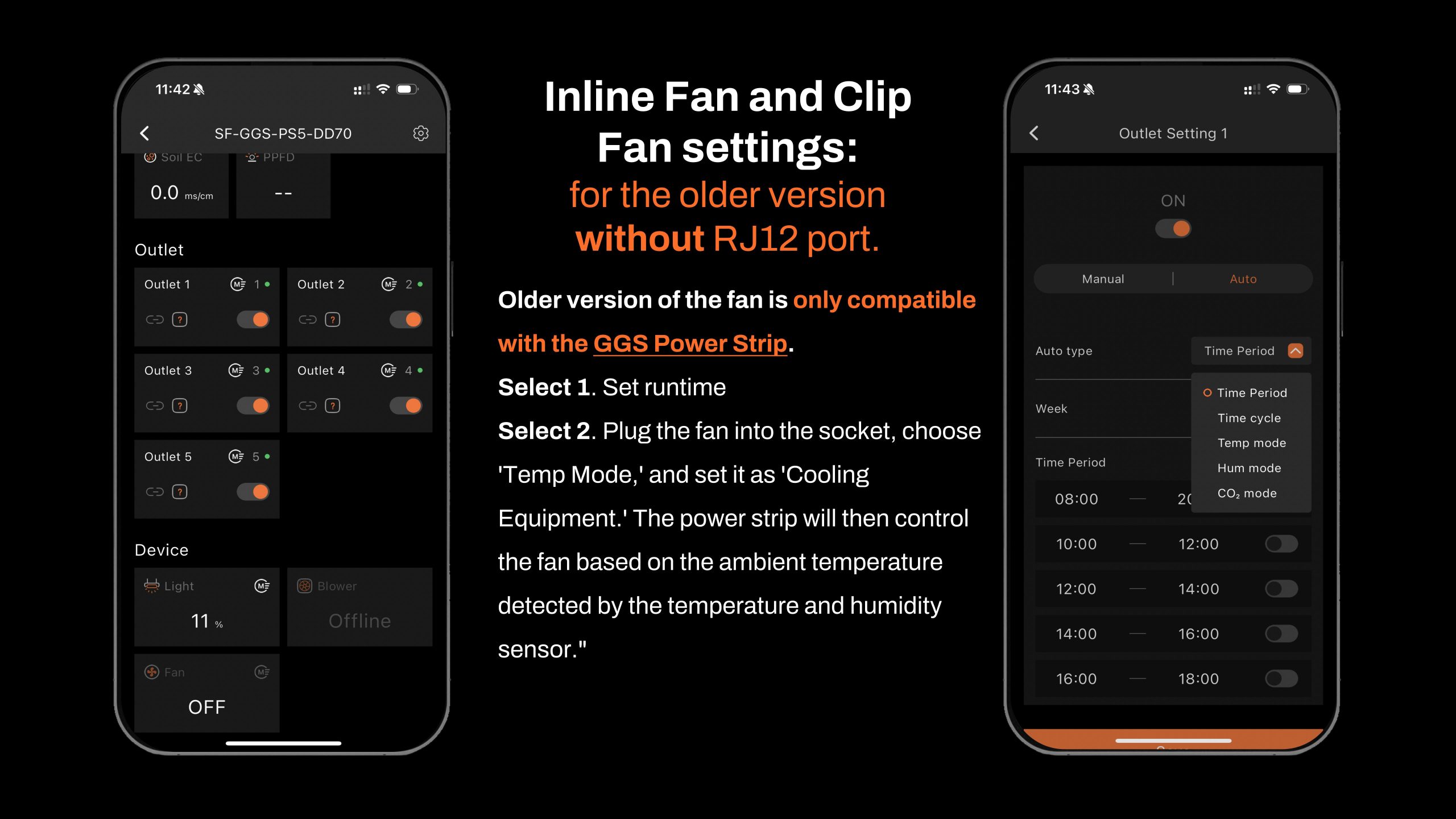
- If your inline fan or clip-on fan does not have an RJ12 port (older model), the GGS series may be compatible with these clip-on and inline fans without an RJ12 port. However, only the GGS Power Strip can be used. You can plug them into the GGS power strip and control them separately via the output section in the app. (For now, the «Fan (clip-on fan)» and «Blower (in-line fan)» options under the «Device» section will not be available.)
- If your clip-on fan or inline fan has an RJ12 port, it will be compatible with both the Spider Farmer GGS controller and the GGS power strip. You can manage your clip-on fan and inline fan via the «Fan (clip-on fan)» and «Blower (inline fan)» options in the «Device» section of the controller.
How can you tell if your clip-on fan or inline fan has an RJ12 port?
- If you have purchased a “GGS Spider Farmer Smart Controller Extraction Kits”, the clip-on fan and the inline fan in the kit both come with an RJ12 port.
- If you've already purchased a Spider Farmer clip-on fan, simply check the fan housing for an RJ12 port.
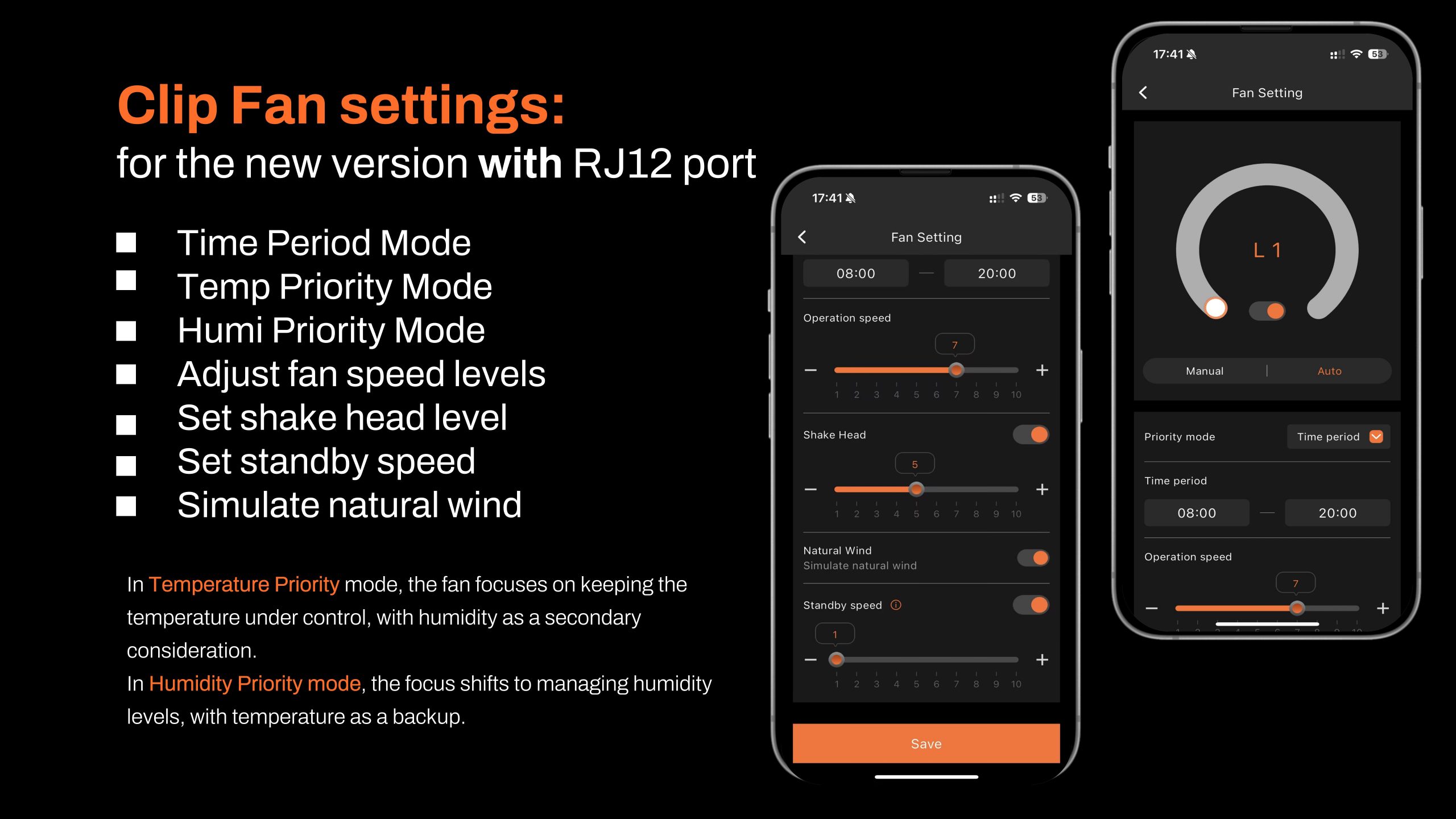
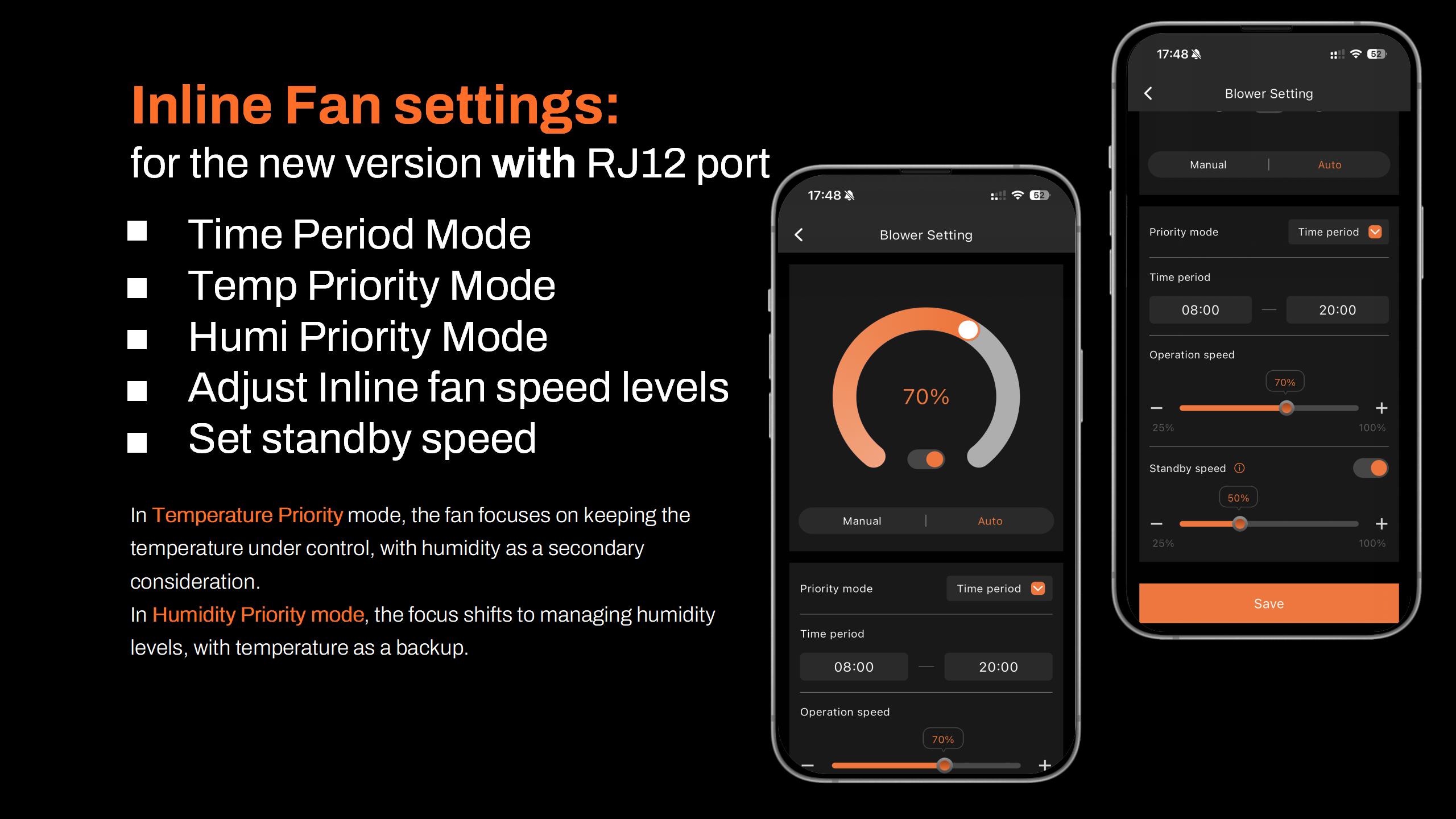
About using the GGS AC5 power strip or the GGS AC10 power strip in combination with the GGS controller:
Why use the GGS AC5 power strip with the controller?
For those who prefer the traditional method: The controller features physical buttons and dials, making it easy for customers who prefer hands-on control without having to rely on a smartphone. You can operate the lights and power strip just like traditional equipment, ensuring simple and reliable use.
Multi-user control: The controller allows multiple users to access the setup without each person needing their own smartphone. In a home setting, for example, anyone can quickly use the controller, making it convenient and efficient.
Local control: When the network is unstable, there is a delay, or using a phone is inconvenient, the controller provides instant local control. This option ensures smooth operation without relying on external connections.
7.1 Manual mode vs. automatic mode
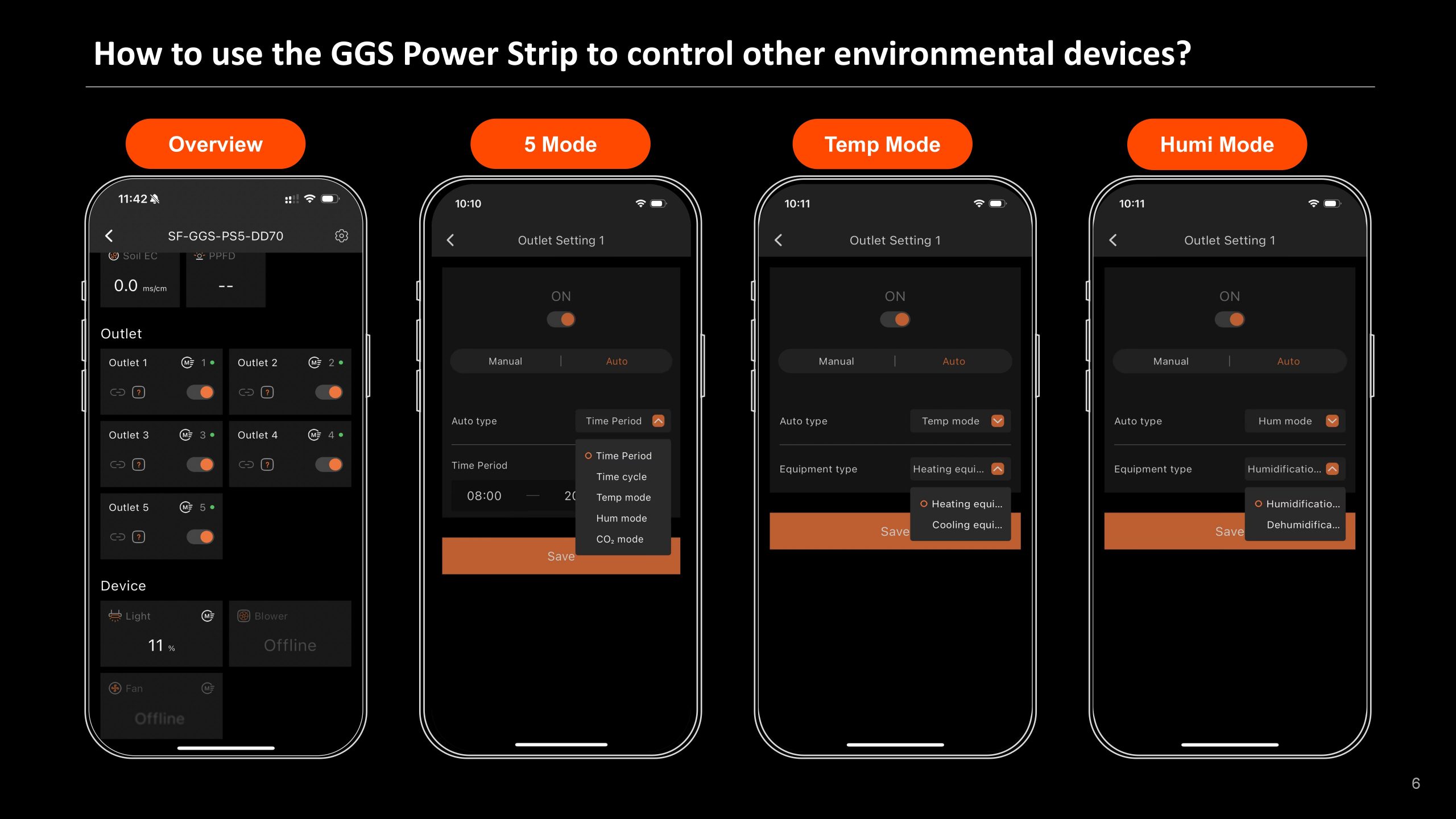
Manual mode: In this mode, you can manually turn each outlet on or off in real time, giving you instant control over your devices.
Automatic mode: In automatic mode, you can set up automated controls with time intervals, time cycles, temperature control, humidity control, and CO2 control for each outlet.
7.2 Explanation of Automatic Mode
Time Period Mode: Set specific on/off schedules for each outlet. Choose exact times for each day of the week or create recurring daily schedules. This allows you to provide consistent light, airflow, or other resources exactly when your plants need them.
Time-based cycle mode: Set power cycles to control when your devices turn on and off throughout the day. For example, you can set a fan to run for 1 hour, turn it off for another hour, and repeat the cycle as needed. This is ideal for managing airflow, lighting intervals, or other timed needs in your grow room.
Temperature Mode: Temperature-based control devices. For example, if you plug a clip-on fan into an outlet set to Temperature mode and designate it as a cooling device, the fan will turn on automatically when the temperature exceeds your target—keeping the environment stable without manual adjustments.
Humidity Mode: Easily manage humidity levels. If you connect a humidifier, set the outlet to Humidity Mode and designate it as a humidification device; the outlet will turn on to increase humidity when levels drop below the desired range. This way, you can maintain optimal humidity for your plants without constant monitoring.
CO₂ mode: Manage CO₂ levels by connecting a CO₂ device. Set the outlet to CO₂ mode and specify whether it should add or remove CO₂. The outlet will activate based on your target CO₂ levels, giving you precise control over your grow room environment.
7.3 Important Note for In-Line Fans with Digital Temperature/Humidity Controllers
When using an inline fan with a digital temperature and humidity controller, do not use the fan’s built-in sensor. Instead, use the temperature, humidity, and light sensors provided with the GGS AC5 Kit to control your device automatically.
Order confirmation
Once your payment is confirmed, you will receive a confirmation email. We automatically check our inventory. If a product is out of stock, we will contact you to offer the option of backorder or a refund. In-stock items are shipped within 1 to 2 business days.
Pre-orders: If the product title includes “[Pre-order],” shipping typically takes place within 2 weeks or according to the estimated delivery time provided.
Delivery areas
CHILLROAD delivers to the following 24 European Union countries through its European logistics partners:
Germany, Austria, Belgium, Bulgaria, Croatia, Denmark, Spain, Estonia, Finland, France, Hungary, Ireland, Italy, Latvia, Lithuania, Luxembourg, the Netherlands, Poland, Portugal, Czech Republic, Romania, Slovakia, Slovenia, Sweden.
Shipping and Tracking
- Carriers: DHL, GLS, or other reliable carriers (shipped within 24 to 48 business hours, except for pre-orders)
- Estimated timeframe: 2 to 6 business days after dispatch
- Tracking: Tracking number sent by email upon shipment
- Shipping costs: Free shipping, no minimum order
- Multiple packages: Multiple items may arrive in separate packages
If your tracking number hasn't been updated in the last 3 days, contact us via contact@chillroad.com.
Returns and Warranty
Only logged in customers who have purchased this product may leave a review.
Related products
Mars Hydro iConnectU-TEMP Smart Controller
Le prix initial était : 29,99 €.24,99 €Le prix actuel est : 24,99 €.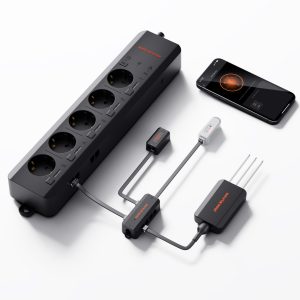
GGS AC5 Spider Farmer – Power strip with 5 outlets for climate control in the grow tent – featuring temperature, humidity, and VPD measurement, time control, historical data, Bluetooth, and Wi-Fi
Le prix initial était : 109,99 €.106,99 €Le prix actuel est : 106,99 €.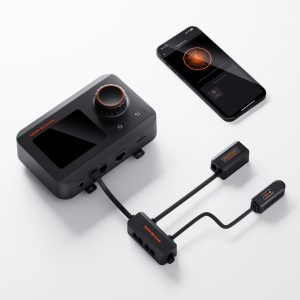
GGS Spider Farmer Smart Controller – Climate Control Kit – Monitors temperature, humidity, and VPD; features synchronization, data logging, Bluetooth, and Wi-Fi for optimized control
Le prix initial était : 79,99 €.69,99 €Le prix actuel est : 69,99 €.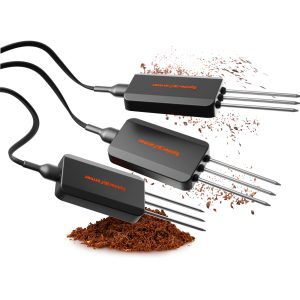
GGS Smart 3-in-1 Soil Sensor Pro Spider Farmer – Precise control of drip irrigation, substrate type selection, and real-time monitoring of EC, temperature, and soil moisture
Le prix initial était : 89,99 €.79,99 €Le prix actuel est : 79,99 €.
iConnectU Mars Hydro – Smart LED Controller – MarsPro App
Le prix initial était : 19,99 €.16,99 €Le prix actuel est : 16,99 €.
iControl – Mars Hydro – Smart WiFi App Controller for Lights, Temperature, Humidity, and VPD
Le prix initial était : 79,99 €.69,99 €Le prix actuel est : 69,99 €.
iHub Pro – 10 outlets – Smart WiFi Control (light, temperature, humidity, air) Mars Hydro
Le prix initial était : 119,99 €.94,99 €Le prix actuel est : 94,99 €.
iTime 2-in-1 Smart Timer – Mars Hydro Dual Outlet, App-Controlled, and Flexible Programming Timer
Le prix initial était : 39,99 €.32,99 €Le prix actuel est : 32,99 €.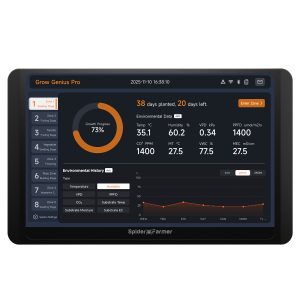
GGS Pro 2026 Spider Farmer Controller Kits | Integrated climate control for large-scale standalone grow rooms | Ideal for industrial and commercial growers | Temperature, humidity, VPD monitoring, scheduling, data tracking, Bluetooth, and WiFi
Le prix initial était : 419,99 €.409,99 €Le prix actuel est : 409,99 €.
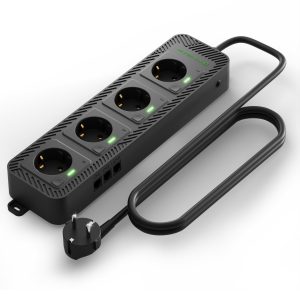
Mars Hydro iHub-4AC 2.0 Power Strip – Flexible add-on module for the iControl smart controller
Le prix initial était : 69,99 €.49,99 €Le prix actuel est : 49,99 €.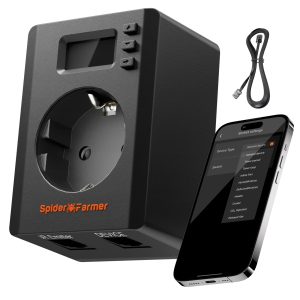
S-Station Spider Farmer – 3680W 16A Wi-Fi and Bluetooth Smart Plug for indoor gardening, supports automation based on temperature and humidity sensors, specifically designed for connecting and intelligently controlling non-Spider Farmer devices via the Spider Farmer app
Le prix initial était : 39,99 €.37,99 €Le prix actuel est : 37,99 €.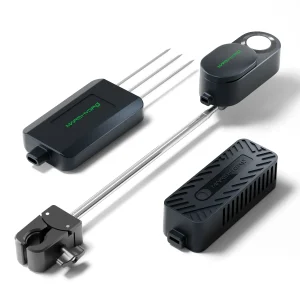



Reviews
Clear filtersThere are no reviews yet.